
10% of every payment, a gift, what's left at the end of the month. Tenstack helps you follow the method: it tells you how much to set aside, you transfer it and watch your savings grow.
Coming soon to the App StoreThe 10% Method is a progressive saving method. Four rules, and your stack grows rule by rule.
Every time you get paid, set 10% aside straight away.
A gift, a refund, what's left at the end of the month: add it to your stack.
An extra deposit at every milestone, from +$100 to +$500, optional.
Don't use it for everyday spending. Keep cash in your checking account.
A payment, a deposit, now and then a withdrawal: that is all Tenstack asks of you. Pick a screen or let them play.
Every day
Now and then
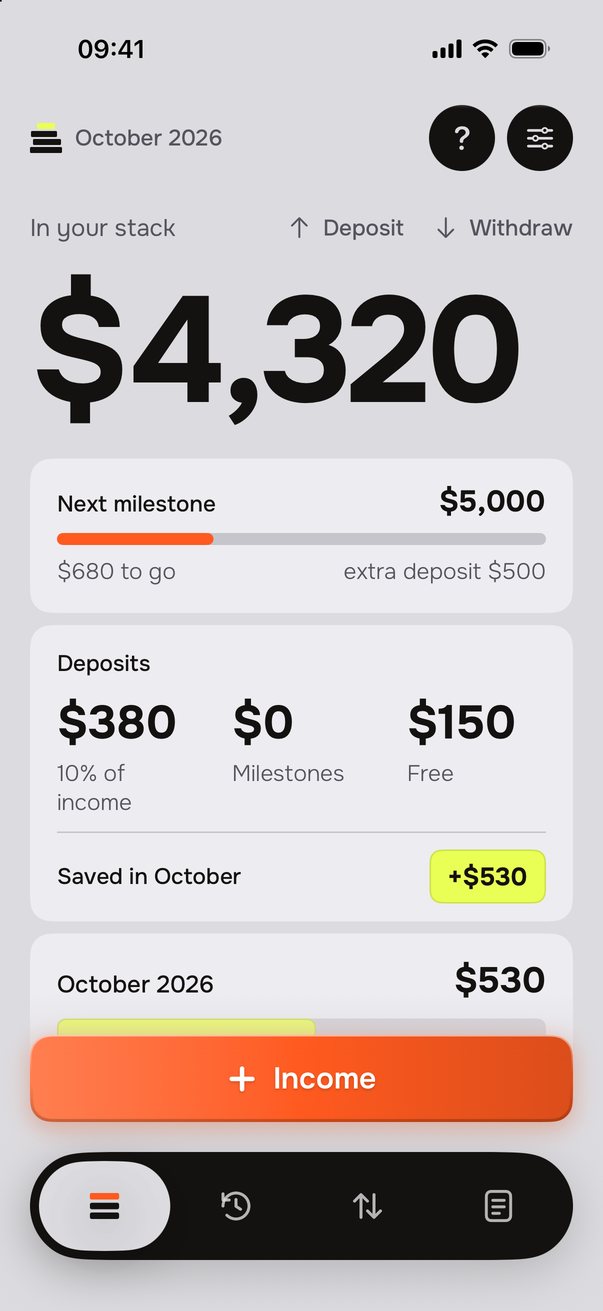
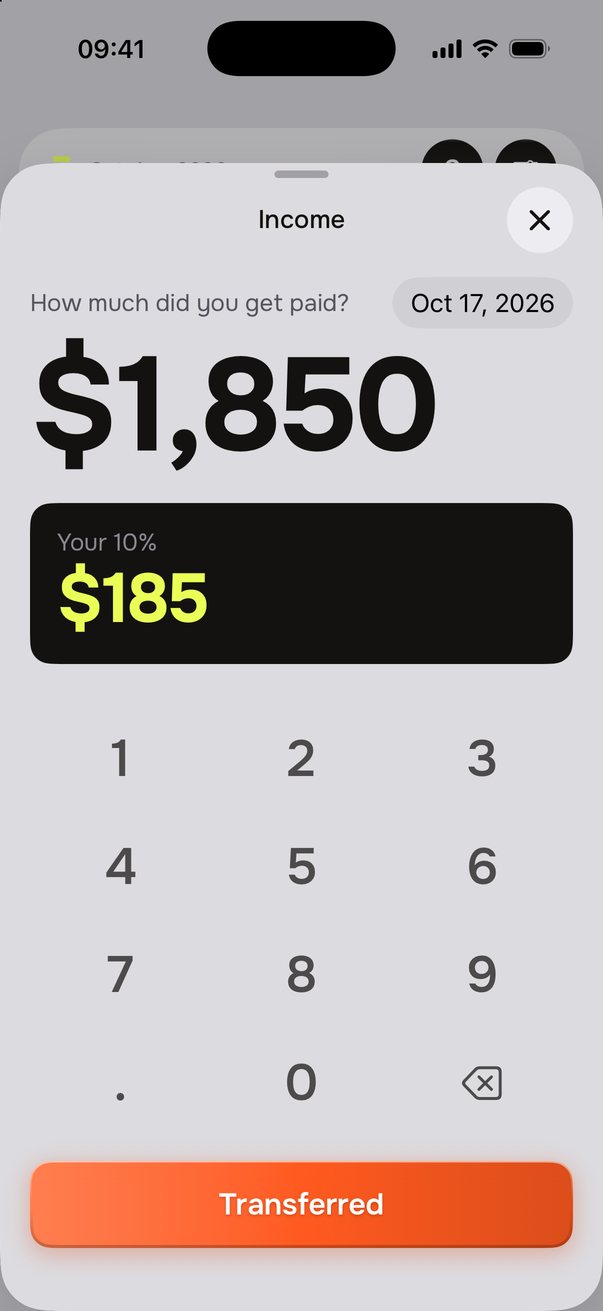
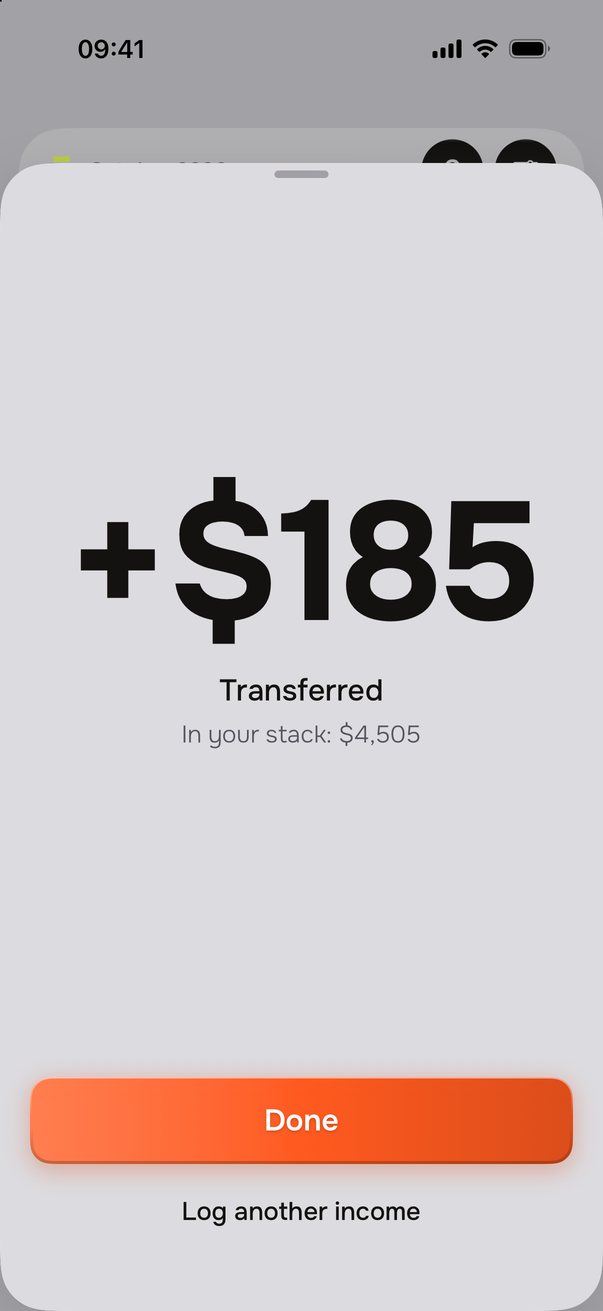
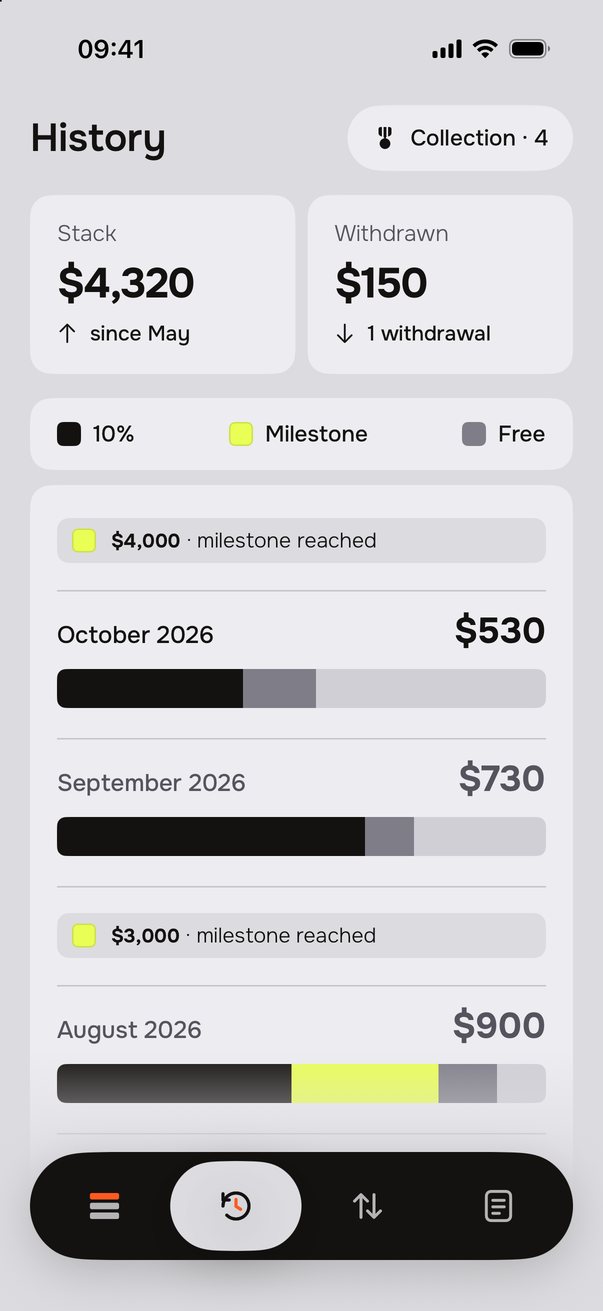
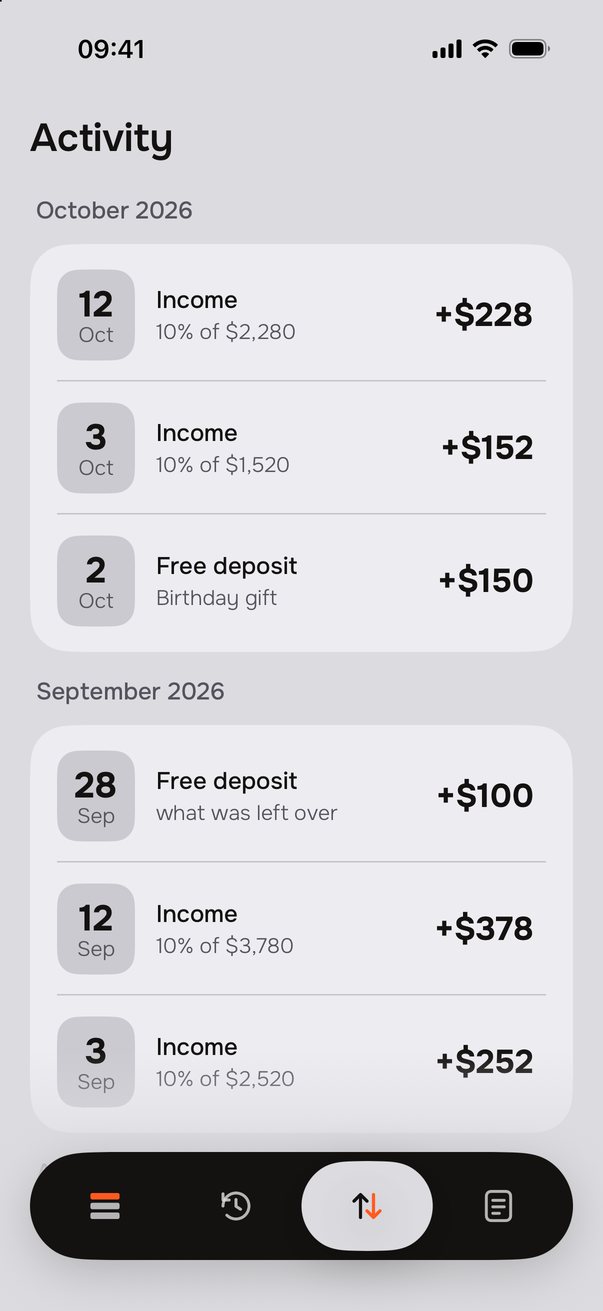
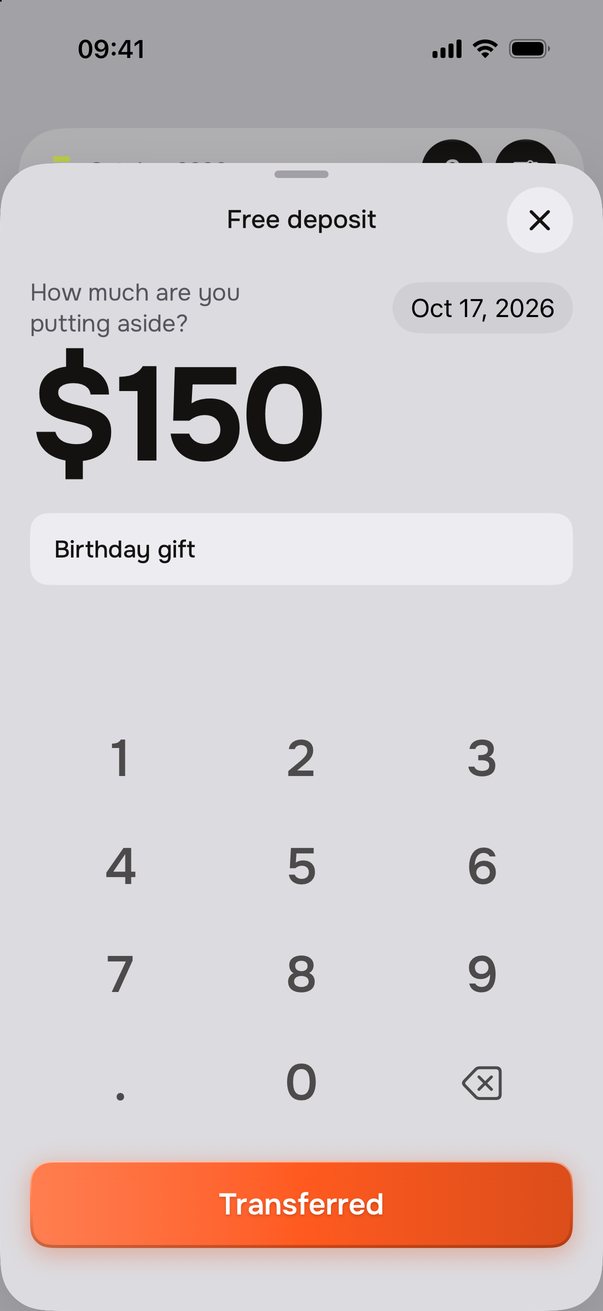
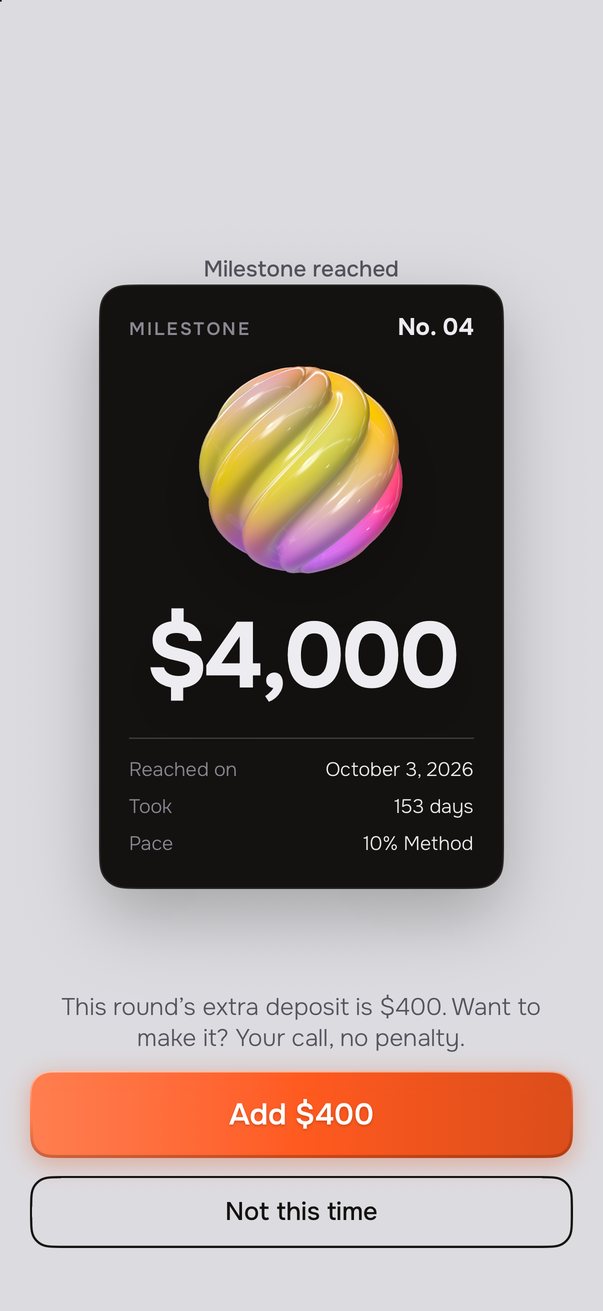
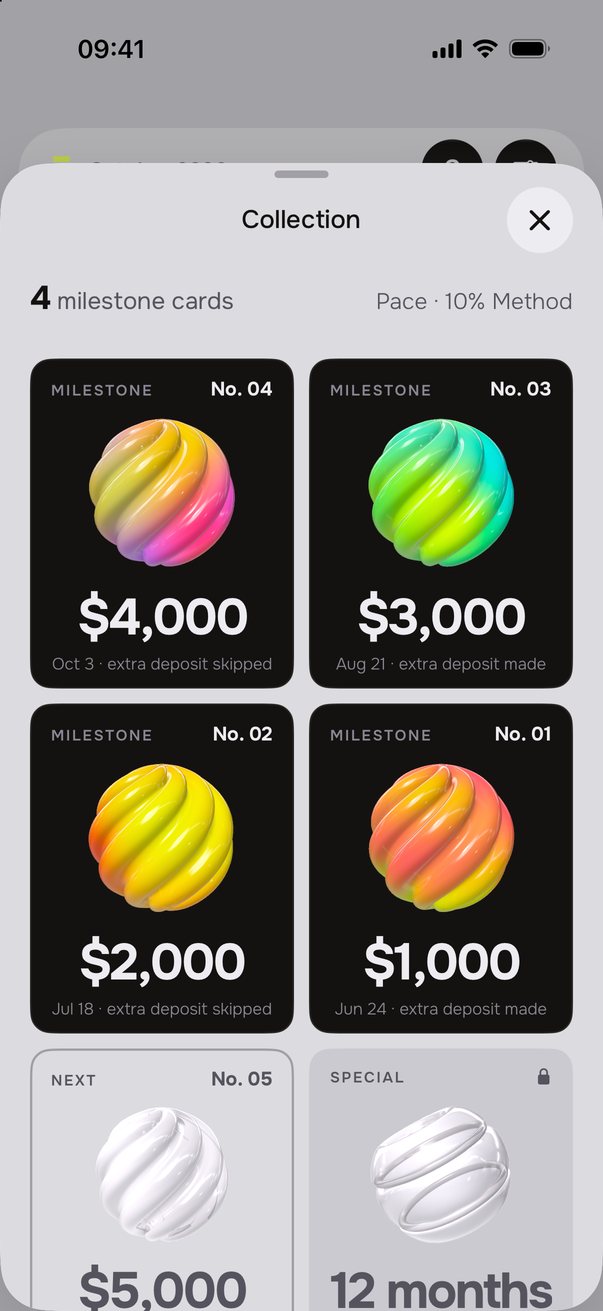
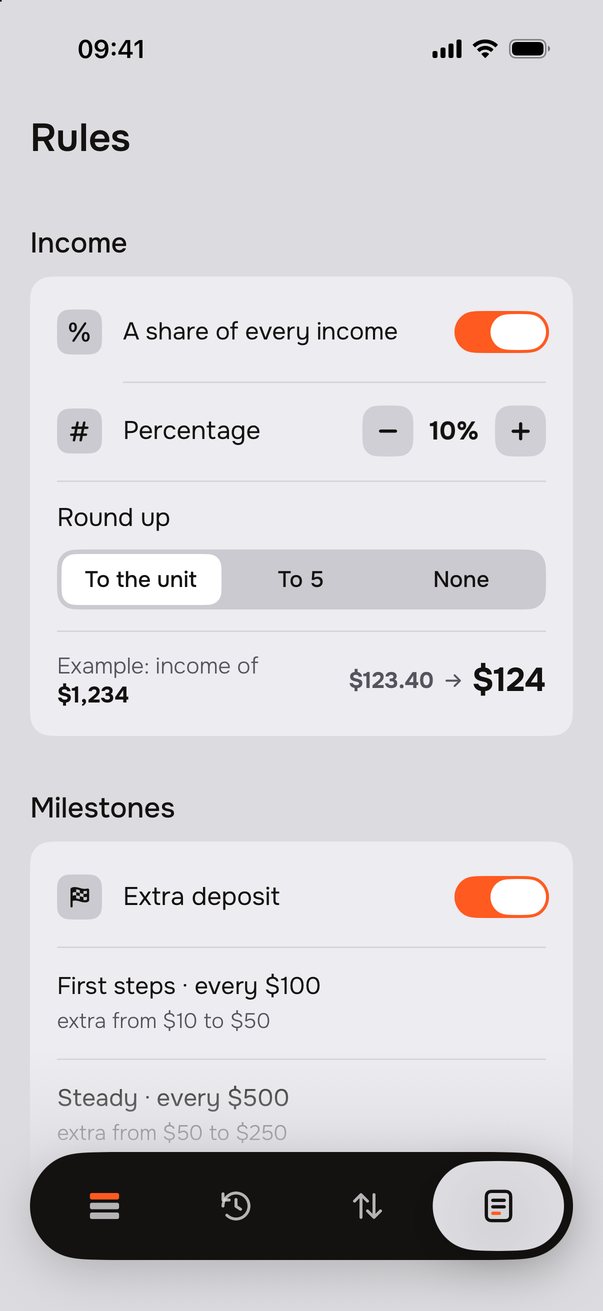
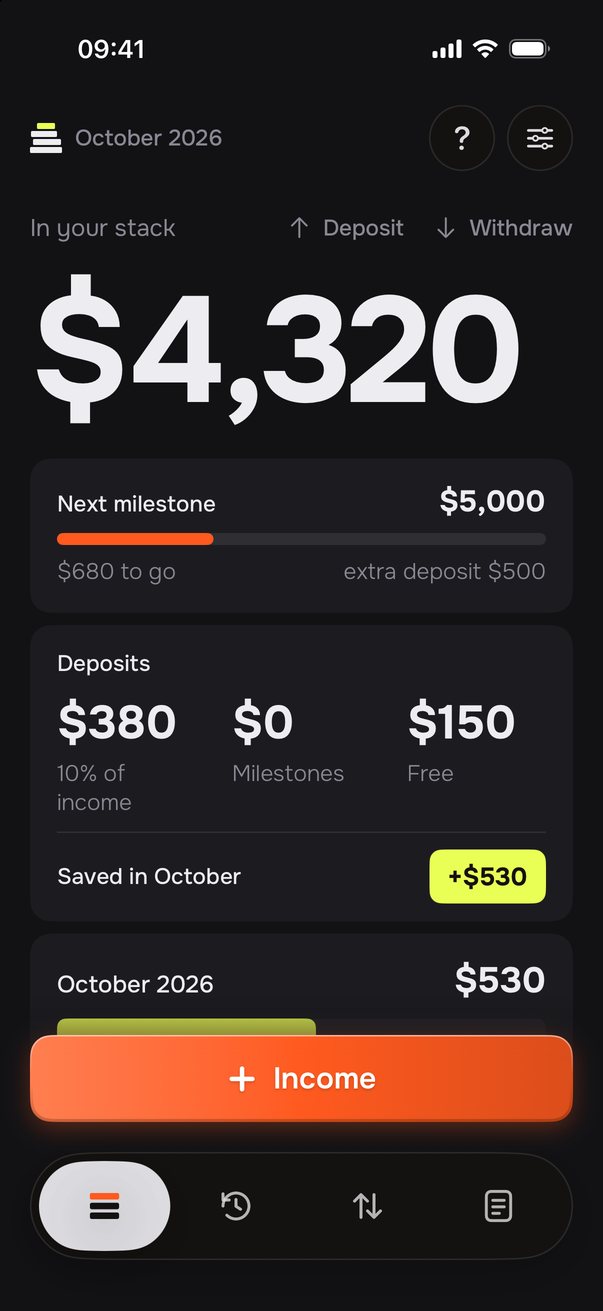
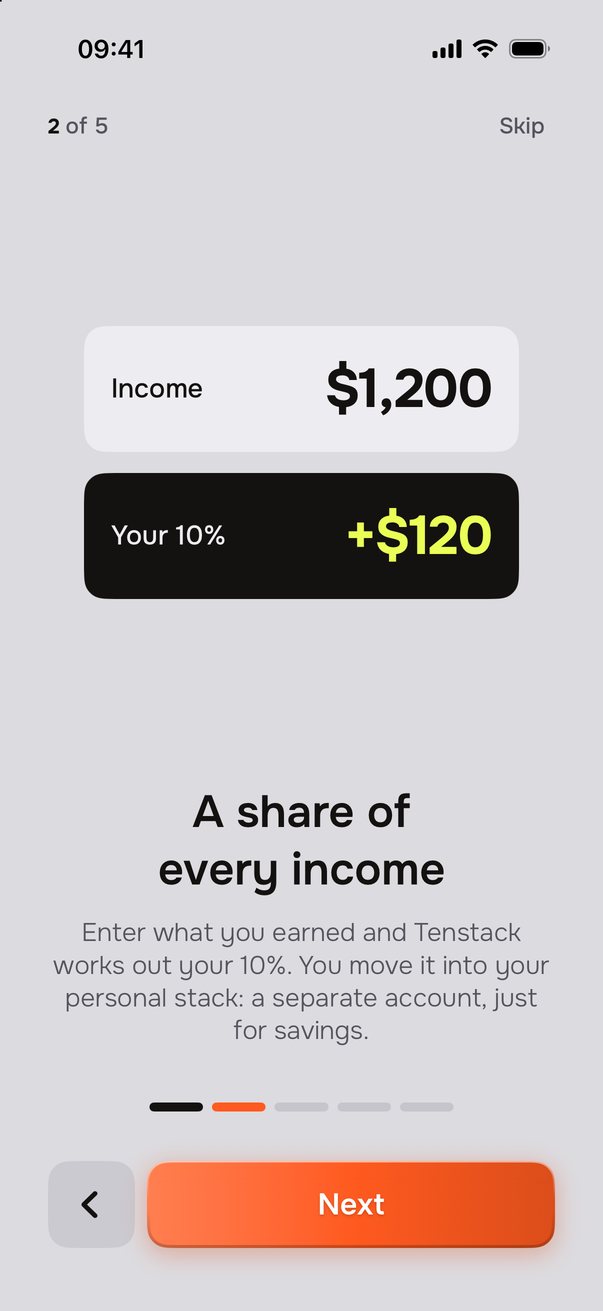
The 10% Method sets aside what comes in, what you celebrate and what you add when you can. No spreadsheets, no spending categories.
What comes in
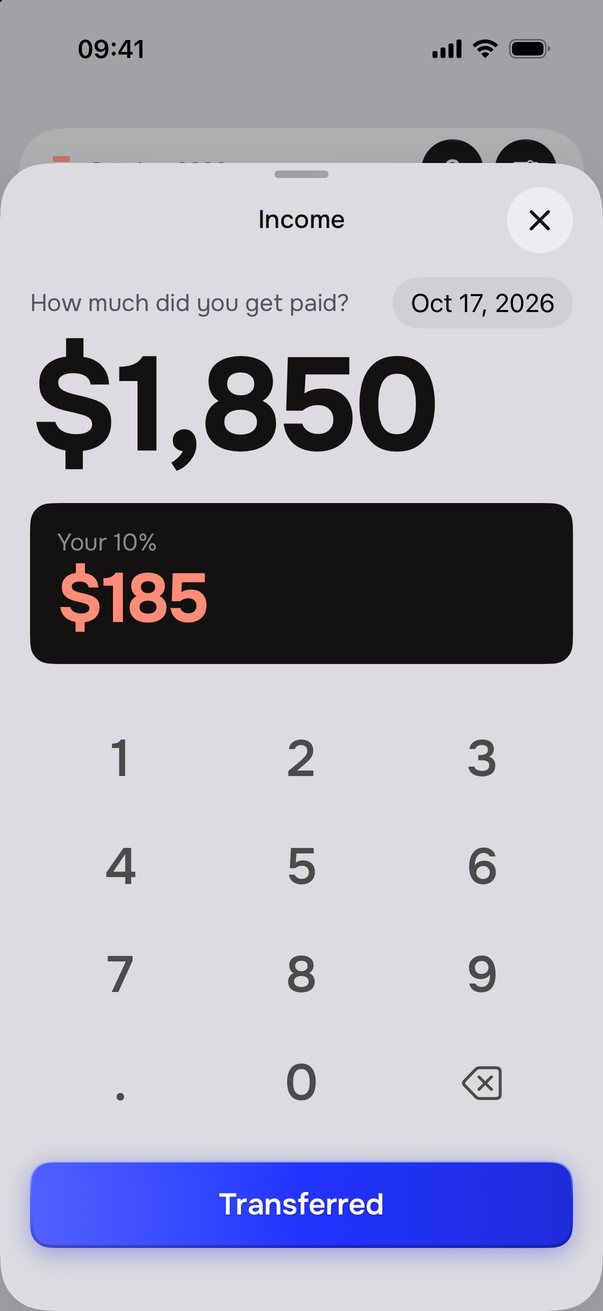
A payment arrives: 10% goes aside before you use it. With irregular income, your savings follow its rhythm.
A gift, a refund, what's left at the end of the month: a free deposit puts it in your stack, with a note if you like.
Every month
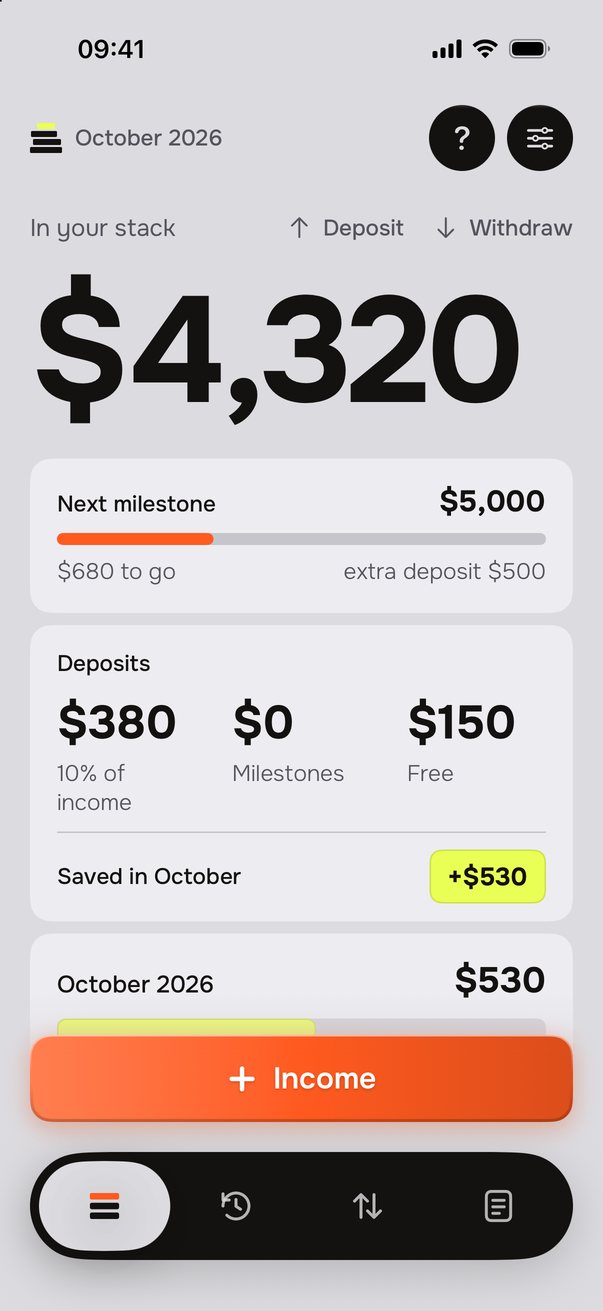
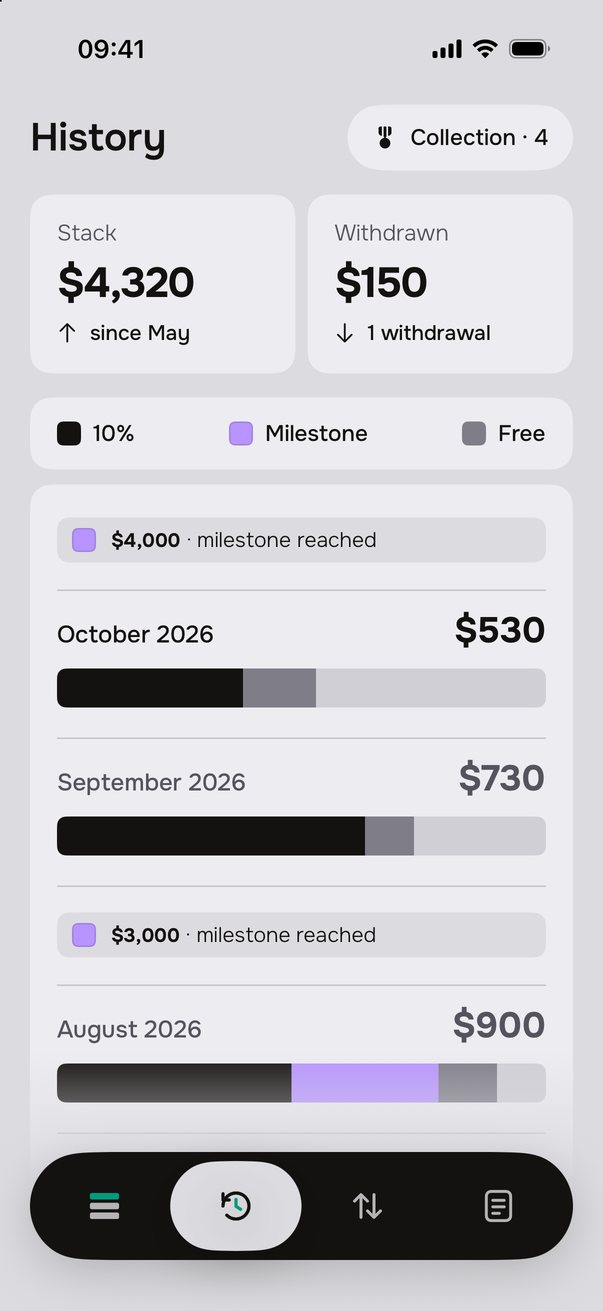
Your stack shows where every deposit of the month comes from: payments, milestones and free deposits.
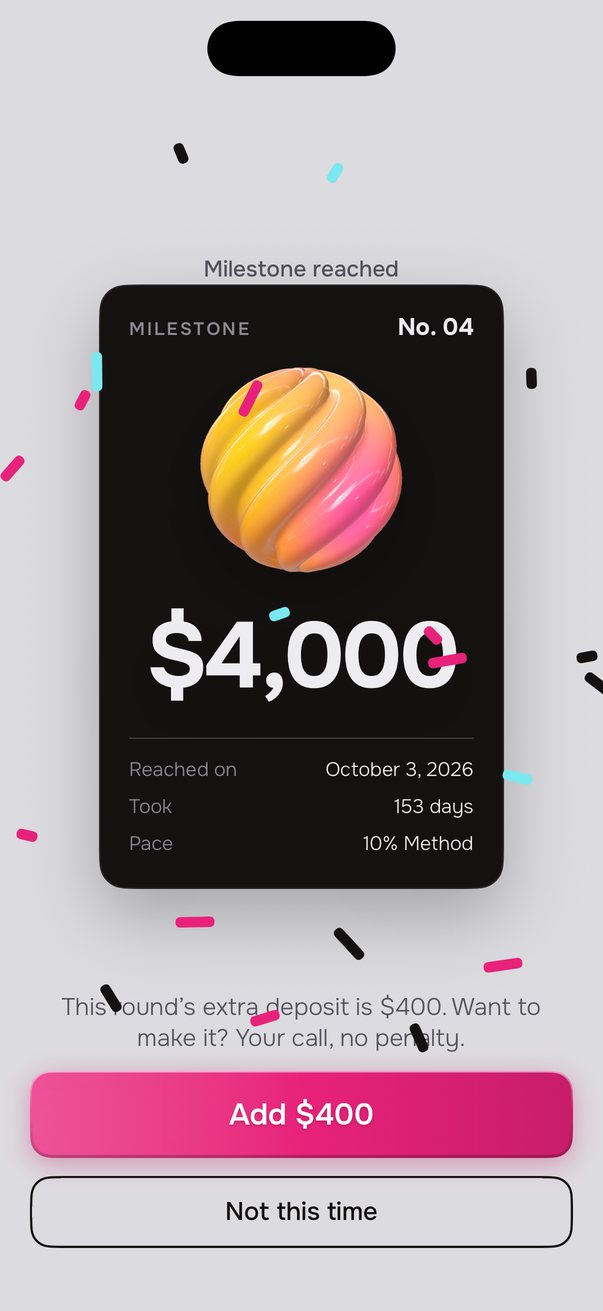
Pick a pace. When your stack passes a milestone, Tenstack celebrates and suggests an extra deposit. You decide whether to make it, with no penalty if you skip.
A native iPhone app: a few seconds a day, results you see over time.
Income of $1,850: +$185 in your stack.
DeletePayments, deposits and withdrawals, month by month. Entered the wrong amount? Swipe left and delete it: the total updates.
Your stack is there to grow your savings. If something unexpected comes up you can always withdraw: the app asks why and keeps it in your history.
At most one a day, only when needed. You can hide amounts in notifications.
No bank connection, no sign-up. Your data stays on your iPhone.
Each rule of the 10% Method rests on an idea that has already been studied. The combination is Tenstack's own: we don't present it as a scientifically validated method as a whole.
Save before you spend
Set money aside as soon as it arrives, not what is left at the end of the month.
In Tenstack: 10% of every payment. A percentage, not a fixed amount, so it works with irregular income too.
Thaler and Benartzi, Journal of Political Economy, 2004
In Tenstack: the extra deposit grows in small steps, one milestone after another, and it's always optional.
Kivetz, Urminsky and Zheng, Journal of Marketing Research, 2006
The closer the goal, the harder we work to reach it.
In Tenstack: Next milestone shows how far you have to go, and every milestone you reach becomes a collectible card.
Richard Thaler, Journal of Economic Perspectives, 1990
We give money different jobs, and those categories change how we use it.
In Tenstack: your stack is a separate account with a single job. It doesn't cover the ups and downs of your checking account.
A method that takes attention to build
and less and less to keep going.
With Tenstack Pro you choose the app's colors and a matching icon.
Quick answers, before you download.
No. Tenstack never touches your account and asks for no bank access: it tells you how much to set aside and keeps track. You make the transfer to your savings yourself, from your bank.
Only on your iPhone. No account, no ads, no tracking: the app collects no data.
Four simple rules: set aside 10% of every payment, deposit when you can (a gift, a refund, what's left at the end of the month), celebrate milestones with an optional extra deposit, and keep your savings away from everyday spending.
Yes, it's made for that too. The rule is a percentage of what you earn, so it follows your income: you save more in good months and less in lean ones.
Yes. In your stack, tap Deposit and enter any amount: a gift, a refund, what's left at the end of the month. Add a note if you like. It counts towards this month's savings, under Free.
No. At every milestone the app celebrates and suggests it: you decide whether to make it, with no penalty if you skip.
Yes, it's your money. Tenstack just asks for the reason and keeps it in your history, without judging.
Yes. In Activity, swipe the entry to the left and tap the bin: the total updates. Then log it again with the right amount.
The method is free. Tenstack Pro is a one-time $5.99, no subscription, with a 7-day trial: it adds a custom percentage and milestones, the Stack and Next milestone widgets, four color palettes and icons, and special cards.
No: with an iCloud backup or a direct iPhone-to-iPhone transfer, your Tenstack data moves to the new phone.
An iPhone with iOS 18 or later.
The method is for everyone. Tenstack Pro adds more rules and more tools, with a single payment and no ads.
Free
Tenstack Pro
 Tenstack